
MyUPMC
UPMCMedical
4.33.46K Reviews
- Version
- 3.28.1
- Installs
- 500.00K
- Age Rating
- Everyone
Screenshots
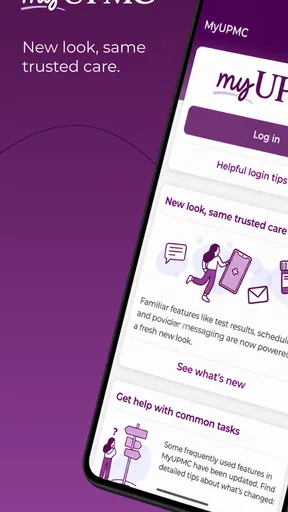
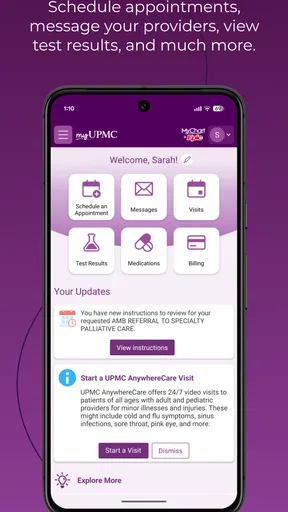
Our Review of MyUPMC
 Analysis by Appyee
Managing healthcare is rarely difficult because of one dramatic task. The trouble usually comes from small details spread across appointments, messages, records, prescriptions, and billing questions. MyUPMC is built to bring those parts of UPMC care into one mobile place, and after using it, I found its value depends less on flashy design than on whether you already receive care through UPMC. For the right patient, it can replace a messy collection of phone calls and paper reminders. For someone outside that health system, it has little practical reason to stay installed.
My first impression is that this is a focused medical app rather than a general wellness tracker. It comes from UPMC, the healthcare organization behind the service, and its purpose is reflected in the simple store summary: managing UPMC healthcare. That narrow scope is important when thinking about trust. A healthcare app should not try to entertain me or push unrelated content; it should help me reach the information and actions connected to my care without making me guess where to begin.
The most important trust question is whether the app matches your existing relationship with UPMC. If your doctors, appointments, or records are not connected to UPMC, the experience is unlikely to justify the effort of creating or maintaining an account. If they are, the app makes more sense as a companion to the patient portal, especially when I need to handle a routine administrative task away from a computer.
What using MyUPMC feels like in real healthcare situations
When I think through real healthcare situations, I focus on the moments when a patient portal can reduce small bits of friction without pretending to solve the care itself. MyUPMC is most useful when I make access part of a calm, repeatable routine rather than waiting until a task feels urgent. That practical distinction leads naturally to the habits and choices worth considering before relying on it day to day.
A practical companion for patients already inside the UPMC system
I would recommend MyUPMC first to people who regularly deal with UPMC care and want a quicker way to check their healthcare information. The app is free, carries an Everyone age rating, and has reached more than 500,000 installs. Those details make it approachable for households where several people may need to interact with care information, although the usefulness still depends on having an appropriate UPMC patient account and services connected to it.
One realistic situation is preparing for a busy week of appointments. Instead of waiting until the night before to search through email or call a clinic, I would use the app as the place to review upcoming care-related information and handle whatever account actions are available there. The benefit is not that it replaces a conversation with a clinician. The benefit is that it reduces the number of small administrative steps that can otherwise be forgotten between work, school, travel, and family responsibilities.
That distinction matters. MyUPMC is not a substitute for urgent medical help, diagnosis, or personal medical judgement. If something feels immediately dangerous, opening a patient portal is the wrong first move. The app is better suited to planned care, account management, and keeping track of interactions with the healthcare system.
Where it differs from a general medical app
Many medical apps focus on symptom searches, medication reminders, exercise, nutrition, or device readings. MyUPMC serves a different purpose. It is tied to a healthcare provider rather than trying to become an all-purpose health dashboard. I see that as both its main strength and its main limitation: information connected to a provider can be more relevant to a patient’s actual care, but the app cannot offer the broad flexibility of a standalone health organizer.
Compared with using a browser-based patient portal, the mobile format is more convenient when I am already holding my phone and need to check something quickly. Compared with calling a clinic, it may save time for routine tasks that the account supports. Compared with a general health app, it is less useful for tracking habits or combining records from unrelated providers. If your care is spread across several health systems, a broader personal health tool may be a better organizational layer, while MyUPMC remains useful for the UPMC portion of that picture.
Account access deserves more attention than the interface
Healthcare apps are different from ordinary shopping or entertainment apps because access problems can become stressful. I would set up MyUPMC when I have enough time to complete account steps carefully, not while standing in a clinic hallway or trying to solve a last-minute appointment issue. Before relying on it, I would sign in, confirm that the correct patient information appears, and learn where the account and support controls are located.
This is also where expectations should stay realistic. A mobile app can make access easier, but it cannot fix every identity, record-matching, or account-recovery problem. If information appears incomplete or something looks wrong, I would treat that as a reason to contact UPMC through its official support route rather than repeatedly refreshing the app or assuming the record is correct.
Privacy is part of the everyday experience
MyUPMC handles a category of information that deserves deliberate use. I would avoid opening it on a shared screen, leaving the account visible while passing my phone to someone else, or discussing private details in a public place. These are ordinary habits, but they matter more here than they do with a recipe app or a weather widget.
I also prefer to review the app’s visible account and privacy choices during setup instead of accepting every prompt automatically. The useful question is not simply whether an app is convenient. It is whether I understand what I am choosing, which account is active, and how to control access on my device. The app should be judged through those visible choices rather than through assumptions about permissions or data handling that cannot be verified from the experience itself.
For families, shared-device use needs extra care. One person’s unlocked phone can expose another person’s healthcare information if accounts are not separated properly. I would not treat a family member’s willingness to help with a phone as permission to leave a patient account open. Logging out when appropriate, using the device’s own security features, and checking the active account before viewing records are simple but worthwhile safeguards.
Small workflow improvements that make a difference
My first practical tip is to use the app before you urgently need it. A patient portal is most valuable when access has already been tested. Signing in during a calm moment lets me discover whether my account is ready, whether the app needs an update, and whether I can find the controls I expect. That preparation can prevent a routine task from turning into a frustrating support call.
My second tip is to separate information checking from medical interpretation. I might use the app to look at a care-related message or appointment detail, but I would not read a clinical entry in isolation and immediately draw a conclusion. Medical information often needs context from a clinician, especially when terminology is unfamiliar. The app can improve access without making every piece of information self-explanatory.
My third tip is to keep the app’s role narrow in my own routine. I would not use it as the only reminder system for every healthcare obligation. A calendar, a written note, or a family coordination method may still be useful for deadlines and transport. MyUPMC can be the place I check the provider-side details, while another tool handles the practical arrangements around them. That division reduces the risk of assuming that one app covers every part of a healthcare plan.
A fourth useful habit is to review account activity with a questioning mindset. If a message, appointment detail, or personal entry does not look familiar, I would pause before acting on it. Healthcare administration involves enough sensitive information that a quick confirmation through an official UPMC channel is preferable to guessing. This is not a criticism of the app; it is a sensible boundary for any digital patient portal.
What I like about the current app profile
MyUPMC has a 4.3 average from roughly 27,000 ratings, with about 3,500 written reviews. I read that as a sign that many people find the app useful, while also remembering that a rating cannot tell me whether it will work smoothly for my particular account or healthcare needs. Medical apps often receive feedback about access, timing, and provider workflows, so the same app can feel excellent during a straightforward task and frustrating when something requires human assistance.
The current version is 3.28.1, and the listed minimum operating system is version 10. Keeping the phone’s operating system and the app current is sensible for a service involving personal healthcare access. I would also avoid relying on an outdated installation when preparing for an appointment or trying to complete an important account task. Updates can change navigation, so I would take a moment to look over the main screens after an update rather than assuming every control remains in exactly the same place.
The app was released on July 21, 2018, which gives it a longer presence than a brand-new patient portal. That does not automatically guarantee a perfect experience, but it does make MyUPMC feel like an established part of UPMC’s digital access rather than a temporary experiment. The developer is clearly identified as UPMC, which is relevant when I am deciding whether an app matches the healthcare organization I already use.
Where the experience can become frustrating
The biggest limitation is the service boundary. MyUPMC is not a universal medical record, and I would not expect it to consolidate every doctor, hospital, pharmacy, or insurance interaction in my life. If I move between unrelated providers, I may still need other portals, phone calls, or personal records. That fragmentation is common in healthcare, but it means the app should be viewed as a UPMC access point, not as a complete replacement for all health administration.
The second limitation is that convenience depends on the underlying account and organization. An app can present information neatly, but it cannot make an unavailable appointment, unresolved billing matter, or complicated clinical question disappear. When an action requires staff review, I may still need to wait or speak with someone. I would be disappointed only if I expected the mobile interface to eliminate those parts of healthcare entirely.
There is also a trade-off between quick access and careful privacy. Staying signed in may make routine checks easier, but a shared or poorly secured device changes the risk. I would choose convenience only after considering who can unlock the phone and whether notifications could reveal sensitive information. A person who frequently lends out their phone may prefer stricter device and account habits, even if that adds a few seconds to each visit.
People who want symptom education, fitness plans, nutrition tracking, or a single dashboard for several providers should probably skip MyUPMC as their main health app. It may still be worthwhile if they receive UPMC care, but another tool would better match those broader goals. Likewise, someone who almost never uses UPMC services is unlikely to gain much from installing a provider-specific portal.
How I would decide whether to keep it
I would keep MyUPMC if it gives me a dependable way to interact with UPMC care without reaching for a laptop every time. The decision would come down to repeated usefulness: Can I access the parts of my care I actually need? Do the account controls make sense? Do I feel comfortable using it on my own device? If the answer is yes, the app earns its place through routine convenience rather than novelty.
I would also test it against my real habits instead of judging it from the first launch. A person who manages appointments for a parent, checks healthcare information while traveling, or dislikes making routine calls may benefit more than someone who prefers paper records and rarely needs portal access. The right comparison is not whether it has every feature of every medical app. It is whether it handles the UPMC tasks that create friction in my own week.
My cautious verdict
After looking at MyUPMC as both a healthcare tool and an account-access product, I see a useful, focused app rather than a complete digital health solution. Its strongest case is simple: UPMC patients can have a more convenient mobile route to their provider relationship, while keeping routine healthcare administration closer at hand. Its trustworthiness should be evaluated through the account details, visible choices, device security, and the care taken when viewing sensitive information—not through broad promises.
I would recommend installing it for an existing UPMC patient who wants to reduce avoidable portal visits and phone calls, provided they are willing to verify their account and use sensible privacy habits. I would not recommend it as a general health tracker or as a replacement for urgent medical support. The free price and Everyone rating make trying it low-risk from an access standpoint, but the real value comes from a specific connection to UPMC care.
My final view is cautiously positive: MyUPMC is worth using when it matches your healthcare system, your account is ready, and you treat mobile convenience as a tool—not as a substitute for clinical judgement or direct help when it is needed.
Verdict
Strengths of MyUPMC
- Secure access to appointments, test results, and medical records
- Easy prescription refill requests and medication management
- In-app messaging helps you contact participating care teams
- Supports bill viewing and online payments in one place
- Useful health reminders can help you stay organized
Limitations of MyUPMC
- Some features depend on receiving care within the UPMC network
- Appointment availability may vary by provider and location
- The app may require frequent updates for reliable performance
- Certain medical information can take time to appear after a visit
- Older devices may experience slower loading or compatibility issues
Similar Picks in This Category
View All
WebMD: Symptom Checker
WebMD, LLC4.1

Microphone Amplifier
DOSA Apps4.2

Anatomy Learning - 3D Anatomy
3D Medical OU4.5

Period Tracker and Calendar
SimpleInnovation4.9

GoodRx: Prescription Coupons
GoodRx4.8

CVS Health
CVS Pharmacy4.5
Frequently Asked Questions
What is MyUPMC and what can I use it for?
MyUPMC is the official patient portal app for UPMC patients. After signing in, you can review parts of your medical record, check test results, manage appointments, request prescription refills, view bills, send secure messages to care teams, and access certain health information. The exact tools available may depend on your UPMC provider, location, age, and the services connected to your account.
How do I sign in to MyUPMC, and do I need a UPMC account?
You generally need an active UPMC patient portal account to use MyUPMC’s personalized features. The app may allow you to sign in with your existing credentials or complete an enrollment process using information provided by UPMC. If you forget your password, use the recovery option rather than repeatedly guessing it. Patients who have trouble enrolling or signing in may need to contact UPMC support or their provider’s office.
Can I schedule appointments and communicate with my doctor through MyUPMC?
MyUPMC can make appointment management much easier, although available options vary by department and provider. Depending on your care network, you may be able to request or schedule appointments, view upcoming visits, receive reminders, and review instructions. Secure messaging may also be available for non-emergency questions. The app should not replace urgent medical care, and messages may not receive an immediate response.
Can I view test results, prescriptions, and medical records in MyUPMC?
The app provides access to selected health information connected to your UPMC record. This may include laboratory and imaging results, medications, allergies, visit summaries, immunizations, and clinical notes, depending on what has been released and how your provider uses the system. Some results can appear before your clinician discusses them with you, so contact your care team if you need help understanding any information.
Is MyUPMC free, and is it safe to use for personal health information?
MyUPMC is generally available to patients at no additional app cost, although normal mobile data charges may apply. Because it handles sensitive medical and billing information, use a private connection when possible, keep the app updated, protect your phone with a passcode or biometric lock, and never share your login details. Always download it from an official app store and review the privacy terms before use.
